Schedule Subcontractors
Use this workflow when a phase, appointment, inspection, delivery, or trade task needs to be placed on the builder calendar. Scheduling in PoolPM is not just placing a block on a date; it is confirming that the work is ready, the trade partner is qualified, and the downstream job context is visible.
Workflow outcome
At the end of this workflow, the calendar item should have a job, event type, status, date/time, description, relevant subcontractors, and enough context for the field team to execute without guessing.

Step 1: Confirm the subcontractor can take the work
Open Subcontractors before assigning critical field work.
Check:
- Correct trade classification.
- Company and contact information.
- Compliance and qualification status.
- Any phase or job assignment notes.
- Recent performance or blockers if the team tracks them.
Do not use the calendar to hide uncertainty. If the subcontractor is not qualified, insured, available, or clearly assigned, resolve that before the schedule is published.
Step 2: Check phase and dependency readiness
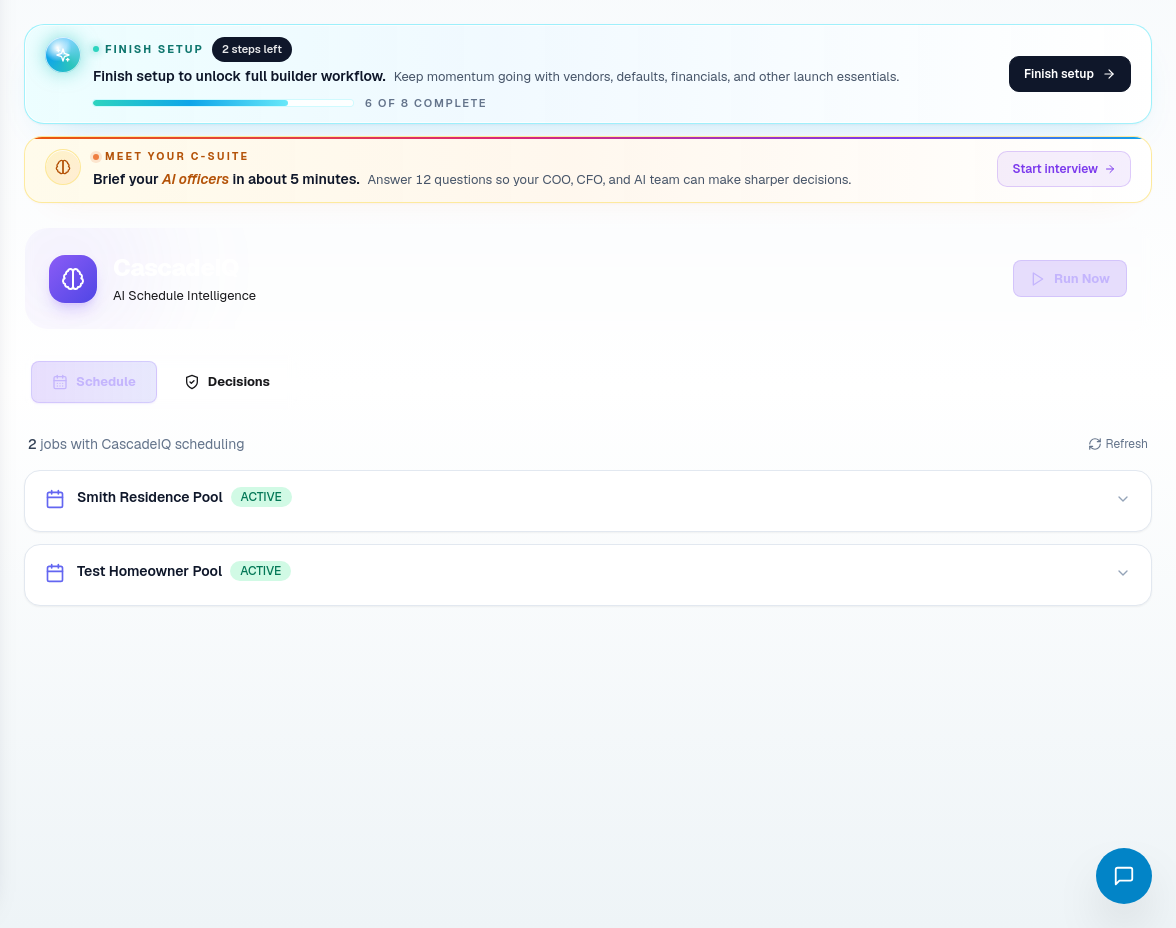
Use CascadeIQ or the job detail schedule workbench before committing the date.
Ask these questions:
- Is the previous phase complete?
- Is the next phase dependent on this one?
- Are materials staged or confirmed?
- Are permits, inspections, HOA approvals, or access constraints resolved?
- Does the move create homeowner communication risk?
- Does the change need approval instead of a silent calendar edit?
If the answer is uncertain, create or update a blocker instead of pretending the schedule is ready.
Step 3: Open the Build Calendar
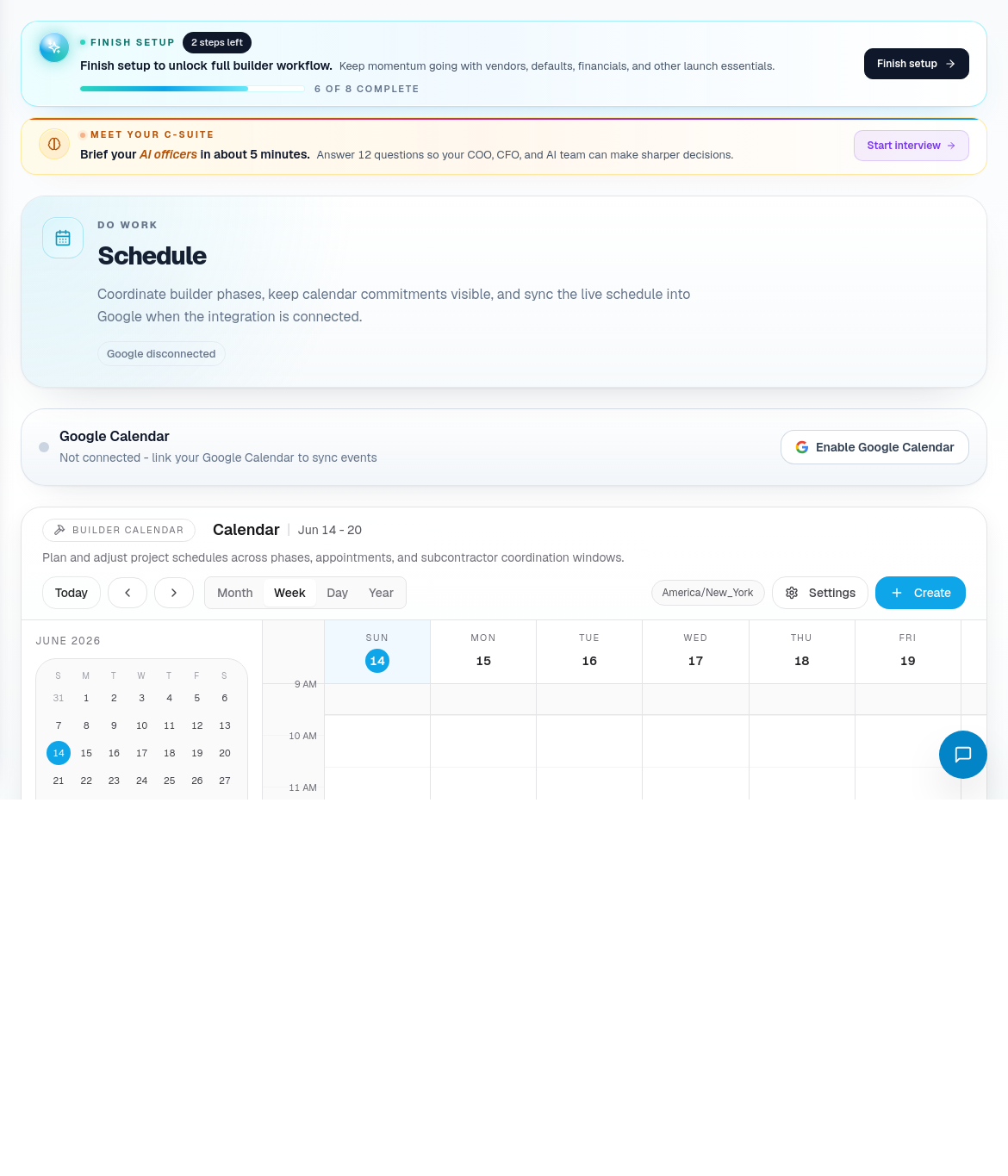
Open Build Calendar or Schedule and choose the right calendar view.
Use the view intentionally:
| View | Best use |
|---|---|
| Month | High-level phase load, gaps, and conflicts. |
| Week | Trade coordination and near-term field plan. |
| Day | Daily dispatch, inspections, site visits, and deliveries. |
| Year | Seasonal load and longer horizon planning. |
Step 4: Create the calendar item
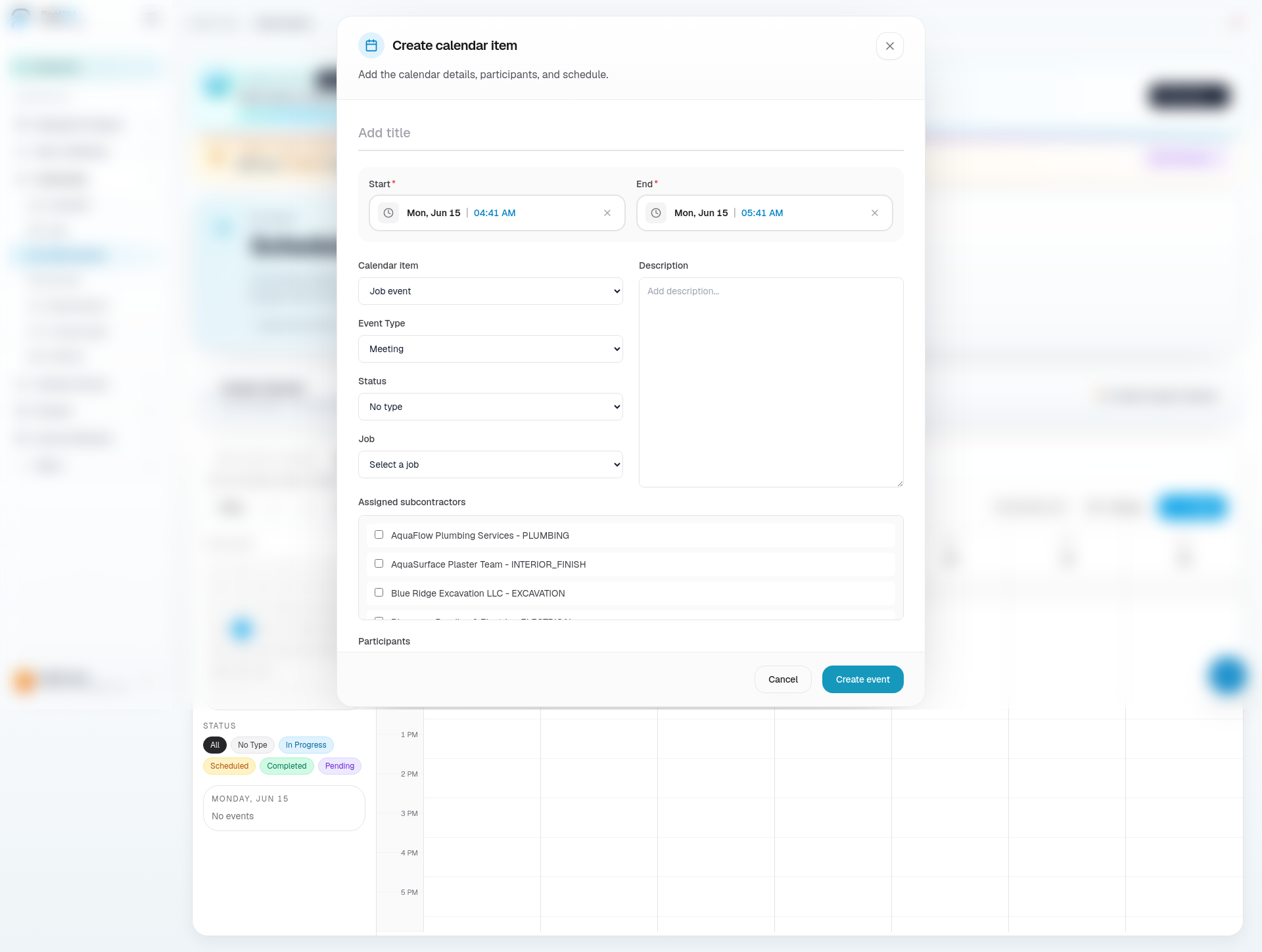
Choose Create or use an Add slot on the calendar.
Fill the event carefully:
- Title: use a clear action name, such as "Excavation - Smith Residence" or "Gunite inspection prep".
- Start / End: use the real planned work window, not just a placeholder.
- Calendar item type: choose job event for construction work or lead appointment for sales activity.
- Event Type: choose meeting, site visit, delivery, inspection, milestone, task, or other.
- Status: choose scheduled, in progress, completed, pending, or no type based on the actual state.
- Job: connect the event to the correct job.
- Description: include instructions the field or office team needs.
- Subcontractors: check the trade partners responsible for the work.
- Attendees: add any required email attendees.
- Create the event.
Step 5: Confirm communication and downstream impact
After the event is created, verify the schedule change is understood.
Check:
- The job record reflects the timing.
- DispatchIQ and CascadeIQ show the right operational status.
- Procurement is aware if materials must arrive before the phase.
- The homeowner communication owner knows whether to send an update.
- The subcontractor package is approved or held intentionally.
- Any inspection or QA/QC follow-up is assigned.
Step 6: Use hold states when work is not ready
If the schedule cannot be trusted yet, do not mark the event as fully scheduled.
Use a pending status, hold the outbound package, or create a blocker when:
- Material delivery is not confirmed.
- A subcontractor is still waiting for approval.
- Scope instructions are incomplete.
- Permit or inspection timing is unknown.
- The homeowner has not approved a required selection.
Related screens
| Portal area | Use it for |
|---|---|
| Subcontractors | Trade partner source of truth and qualification review. |
| CascadeIQ | Schedule decisions, dependency review, and approval-required changes. |
| Build Calendar / Schedule | Calendar creation, job events, lead appointments, status, and attendees. |
| Job Detail | Job-specific schedule context and outbound package review. |
| Procurement | Material readiness before schedule commitments. |
| QA / QC | Evidence and inspection follow-up. |