Lead to Quote Workflow
Use this workflow when a homeowner inquiry needs to become a qualified opportunity, proposal, and eventually a job. The goal is to keep the team honest about source, follow-up, homeowner needs, proposal assumptions, and the next handoff.
Workflow outcome
At the end of this workflow, the lead should have a clear status, the CRM record should show the next action, and the quote should explain scope, assumptions, constraints, and risk in language the homeowner can understand.
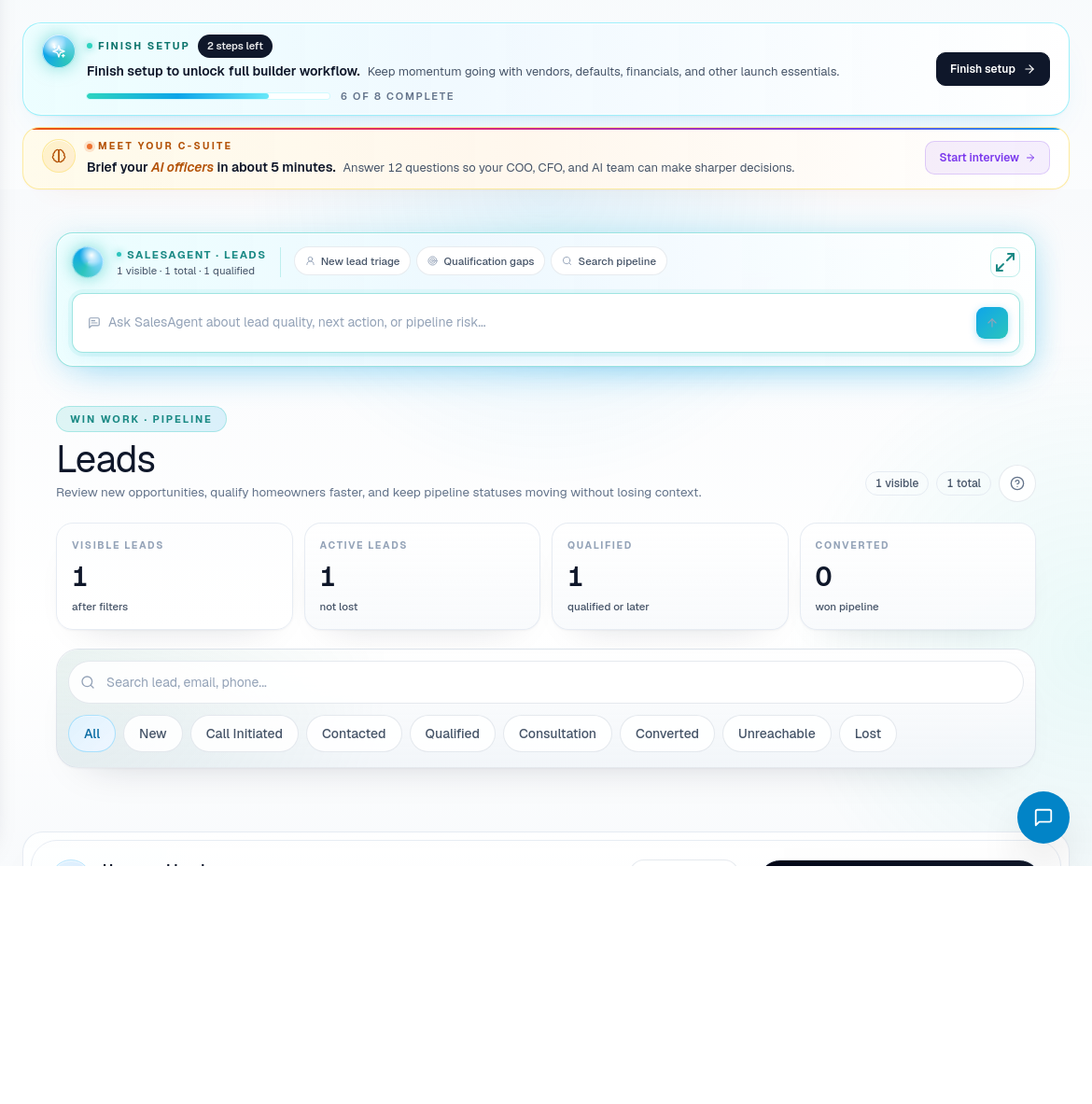
Step 1: Review the new lead
Open Leads when a new inquiry arrives or when DispatchIQ surfaces sales follow-up risk.
Check the lead before moving it forward:
- Confirm the homeowner name, phone, email, and preferred contact method.
- Review the lead source so marketing ROI stays accurate.
- Read the project interest and any intake notes.
- Check urgency, budget signals, location, and project type.
- Decide the next action: contact, qualify, book appointment, send to quote, nurture, or close out.
Do not move a lead into quote work just because it exists. Move it when the builder has enough project context to price responsibly or schedule a discovery step.
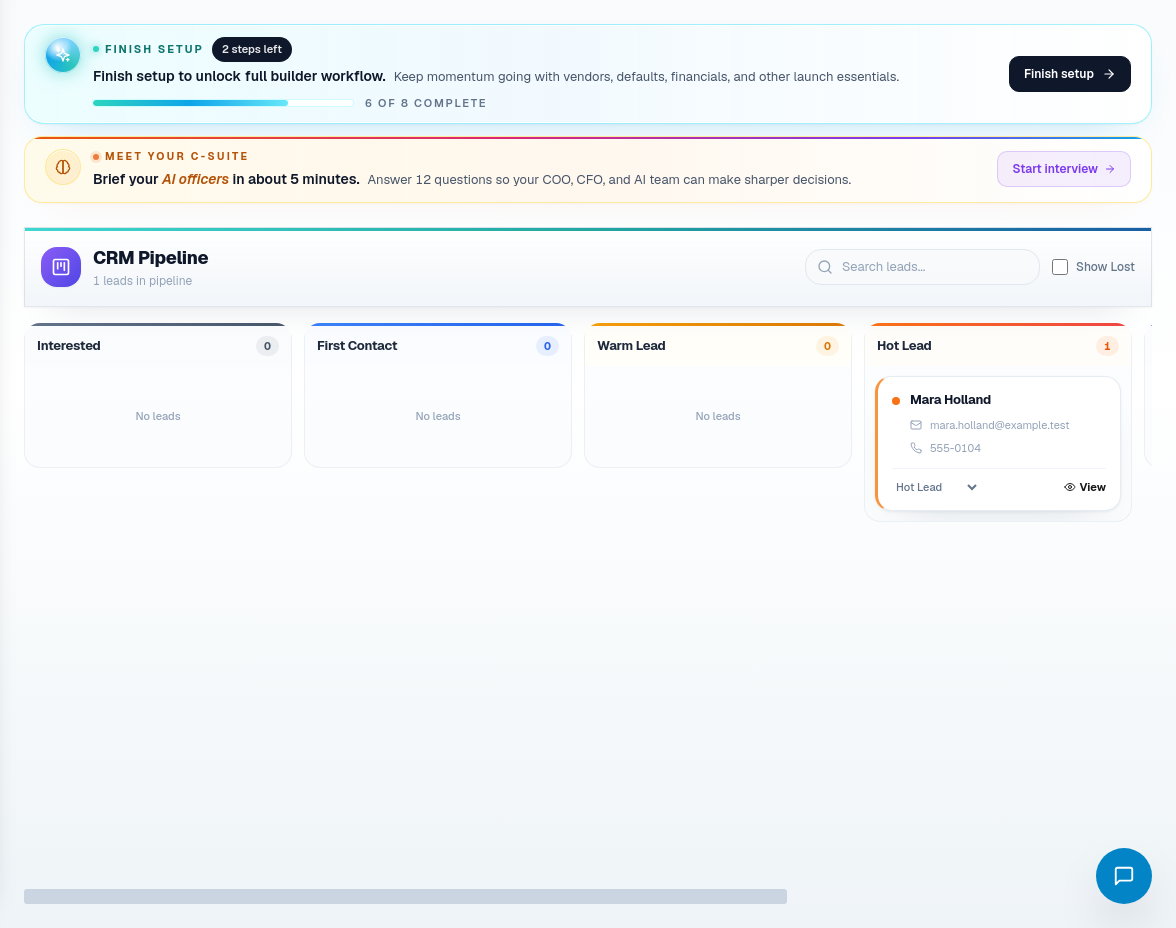
Step 2: Move the opportunity through CRM
Use CRM for pipeline movement and sales accountability. The CRM status should answer one question: what must happen next for this opportunity to progress?
Use statuses consistently:
| Status type | What it means | What to fill out |
|---|---|---|
| New | The inquiry has not been qualified. | Contact details, source, project interest, owner. |
| Qualified | The builder has enough context to continue. | Budget range, project type, location, homeowner needs. |
| Appointment / Site Visit | A meeting or visit is scheduled. | Date, attendees, address, prep notes. |
| Quote Needed | The opportunity is ready for pricing. | Scope notes, selections known, constraints, open questions. |
| Quoted | Proposal has been prepared or sent. | Quote link, sent date, follow-up owner, next check-in. |
| Won / Lost / Nurture | The opportunity has a resolved outcome or needs later follow-up. | Reason, follow-up timing, lessons for marketing or sales. |
Keep the reason visible when a lead is stalled. "Waiting on homeowner financing" and "needs revised spa scope" are useful. "Pending" is not.
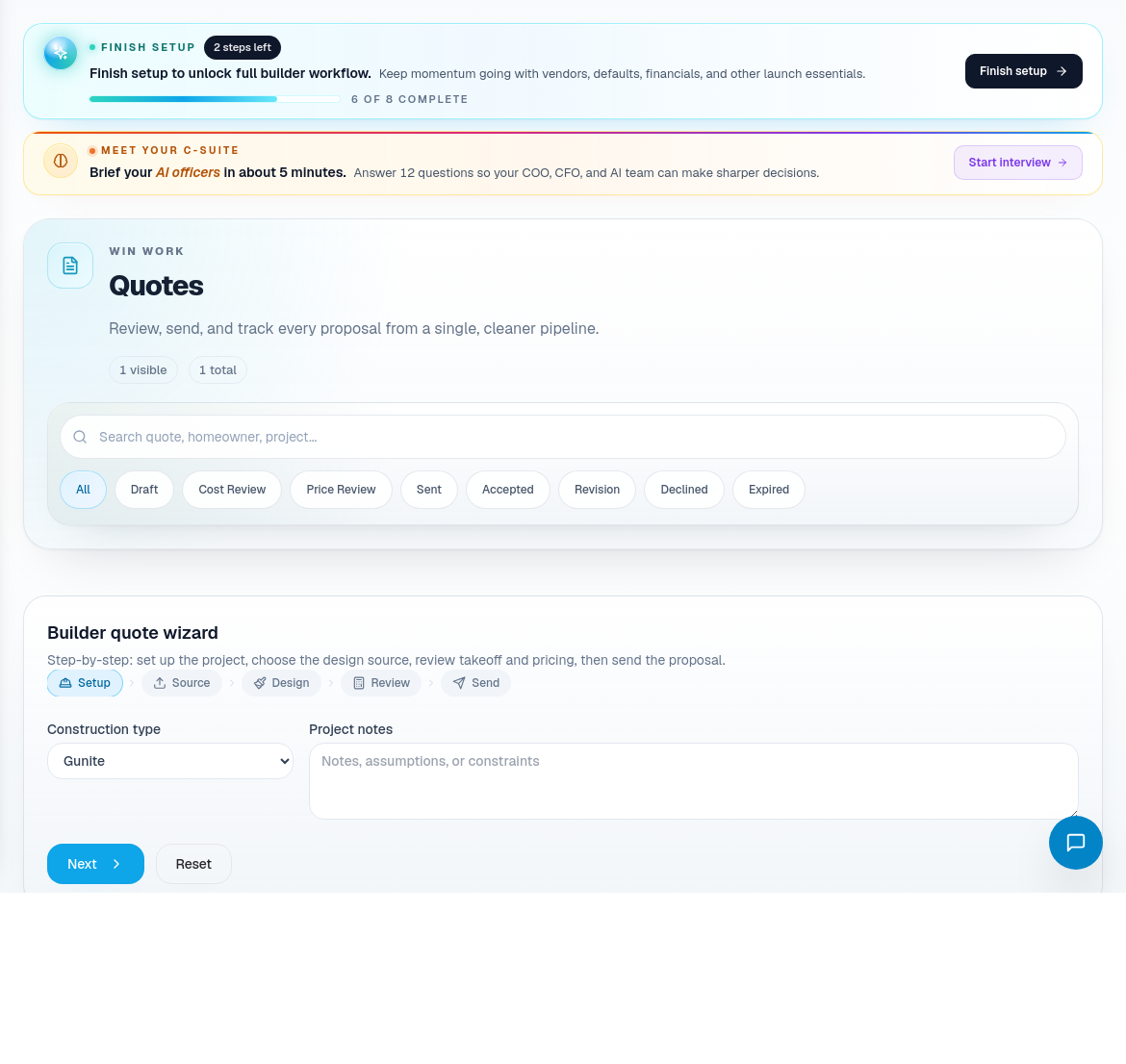
Step 3: Create the quote
Open Quotes when the opportunity is ready for pricing.
Fill out the quote with builder-useful and homeowner-useful detail:
- Select or confirm the homeowner and opportunity context.
- Add a plain-language proposal summary. This should explain what the homeowner is buying without internal shorthand.
- Add scope assumptions. Include pool type, finish expectations, equipment assumptions, deck/coping assumptions, access limitations, and included work.
- Add cost assumptions. Include allowance items, vendor-sensitive items, unknowns, and anything that could change margin.
- Add constraints and risk flags. Examples: access restrictions, permit uncertainty, HOA approval, utility relocations, lead times, seasonal timing.
- Review the quote before sending. A quote becomes the expectation baseline for the job.
Step 4: Review quote detail and revisions
Use the quote detail page for deeper review, margin-sensitive decisions, revisions, and homeowner-facing changes.
Before the quote is treated as ready:
- Confirm the proposal summary is understandable outside the company.
- Confirm vendor notes and material assumptions do not conflict with procurement reality.
- Confirm any risk flags are visible to the sales owner and operations.
- Create a revision instead of overwriting meaningful proposal changes.
- Use approval actions only after scope, price, and assumptions have been reviewed.
Step 5: Handoff to job creation
When the quote is accepted, the handoff should not be vague. The sales owner should make sure operations can create the job with the right starting context.
Handoff checklist:
- Homeowner contact record is accurate.
- Accepted scope and quote assumptions are available.
- Contract or SOW is ready to upload.
- Known selections and allowance items are documented.
- Material handling expectation is clear: subcontractor-supplied, builder-managed BOM, or mixed.
- Any schedule promises made during sales are visible to operations.
- Open risks are assigned instead of buried in notes.
Next guide: Create and Set Up a New Job.
Related screens
| Portal area | Use it for |
|---|---|
| Leads | Intake, qualification, source review, and follow-up ownership. |
| CRM | Pipeline movement, statuses, and sales accountability. |
| Quotes | Proposal creation, quote review, assumptions, constraints, and revisions. |
| Sales Calendar | Appointment and site visit coordination. |
| Sales KPIs | Sales performance and follow-up discipline. |
| Marketing Dashboard / ROI | Source quality, campaign performance, and budget decisions. |