Review and Approve Agent Work
Use this workflow when PoolPM agents prepare work that may affect jobs, customers, schedule, procurement, finance, or leadership review. The userbase is a builder team that wants AI leverage without losing human control.
Workflow outcome
At the end of this workflow, every agent-prepared item should be approved, rejected, held for more information, or routed to the right source workflow with a clear owner.
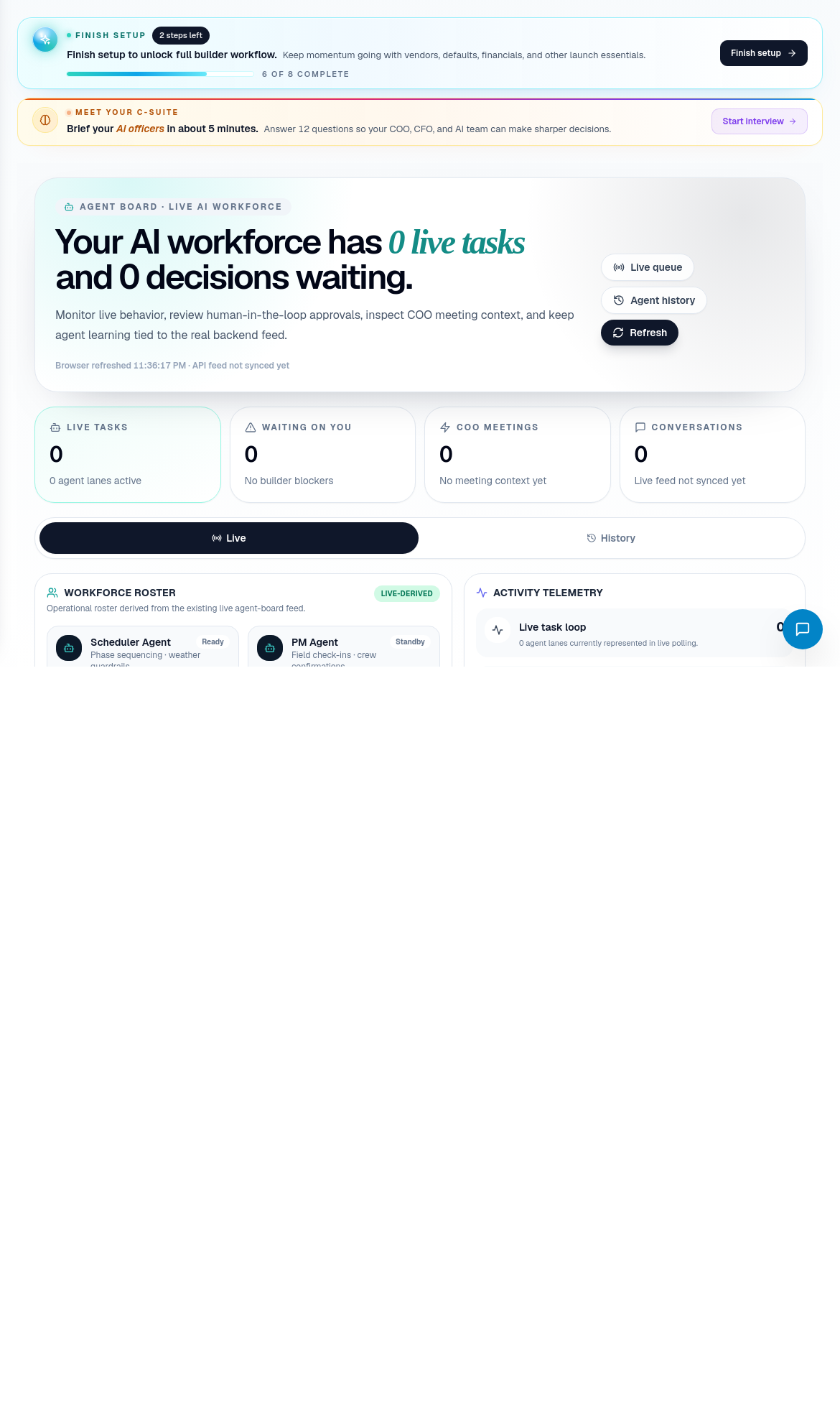
Step 1: Open Agent Board
Open Agent Board when DispatchIQ, PulseIQ, C-Suite, or a workflow page shows agent-prepared work.
Check:
- Which agent prepared the work.
- Which workflow or record it affects.
- Current status.
- Required approval.
- Supporting transcript, meeting, or task context.
- Whether the action is reversible.
Step 2: Read the task in business terms
Do not approve a task because the agent sounds confident. Read it as an operator:
- What is the agent trying to change?
- Which customer, job, vendor, subcontractor, or payment does it affect?
- Does the source record support the recommendation?
- Is any risk missing?
- Is the next action clear to a human?
Step 3: Verify source context
Open the source workflow before approving anything important.
| Agent work type | Source check |
|---|---|
| Schedule recommendation | Job detail, CascadeIQ, Build Calendar, procurement readiness. |
| Subcontractor package | Subcontractor record, job scope, SOW package, assignment. |
| Purchase order | Procurement, vendor, price book, PO lifecycle. |
| Payment action | Financials, source transaction, job completion, approvals. |
| Customer response | Customer service, callback, meeting notes, ticket history. |
| Leadership summary | DispatchIQ, PulseIQ, C-Suite, source records behind the summary. |
Step 4: Choose approve, reject, or hold
Use the action that matches the evidence:
| Decision | Use when |
|---|---|
| Approve | Source context matches, risk is understood, and the action should proceed. |
| Reject | The recommendation is wrong, unsafe, unclear, or based on missing context. |
| Hold | The recommendation may be right but needs another record, person, or document. |
| Route | The work belongs in a source workflow before it can be decided. |
Always include a reason for rejection or hold. That reason becomes training context for the team and audit context for the company.
Step 5: Confirm downstream effect
After approval, verify the related workflow changed as expected:
- Job note, schedule, package, PO, ticket, payment, or callback reflects the action.
- The owner can see the result.
- The homeowner, subcontractor, or vendor is not notified prematurely.
- DispatchIQ no longer shows the item as unresolved unless follow-up is still needed.
Step 6: Escalate uncertain decisions
Escalate instead of approving when:
- Financial or legal risk is unclear.
- Homeowner-facing wording could create a commitment.
- A schedule action depends on missing materials.
- A subcontractor assignment lacks scope or compliance context.
- Agent output conflicts with the source record.
Related screens
| Portal area | Use it for |
|---|---|
| Agent Board | Agent task review, approvals, meetings, transcripts, and audit context. |
| DispatchIQ | Finding agent work during daily triage. |
| PulseIQ / C-Suite | Leadership-level summaries and escalations. |
| Jobs / Procurement / Financials / Customer Service | Source workflows that prove whether agent work is safe. |